How to Manage Full Access Permissions for Exchange 2002 and 2003 Mailboxes?
Use the following procedure to grant access to an Exchange 2000 or an Exchange 2003 mailbox:
You must have the appropriate Exchange administrative permissions to do so.
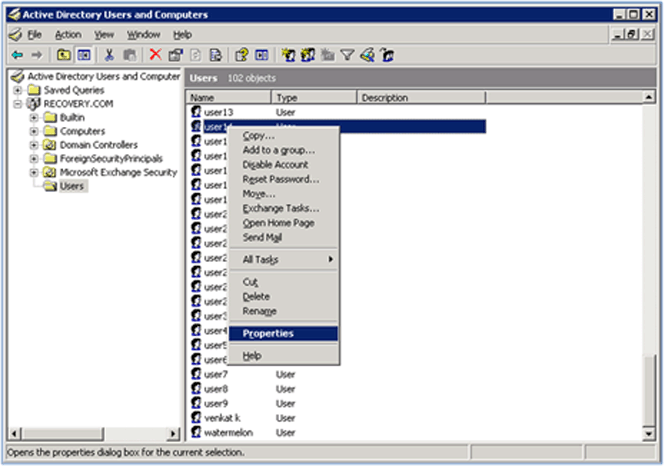
 Start Active Directory Users and Computers.
On the View menu, ensure that the Advanced Features check box is selected.
STEP 1
 Right-click the user whose mailbox you want to give permissions to and choose Properties.
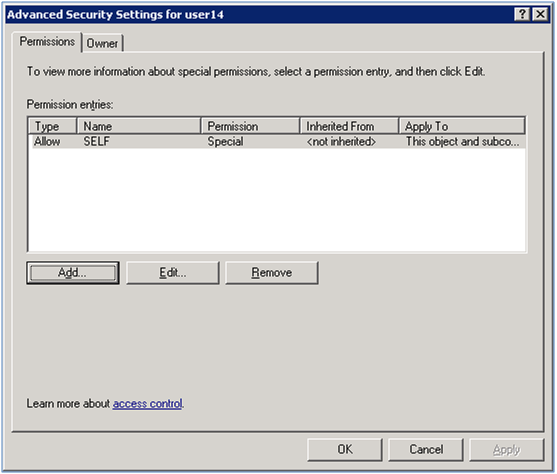
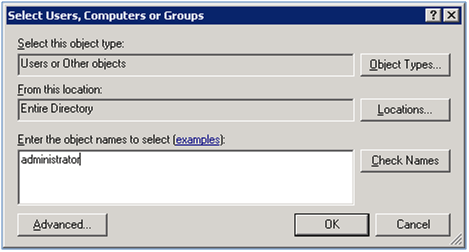
- Enter the object name as administrator as shown in the following screen and then click on Check Names button.
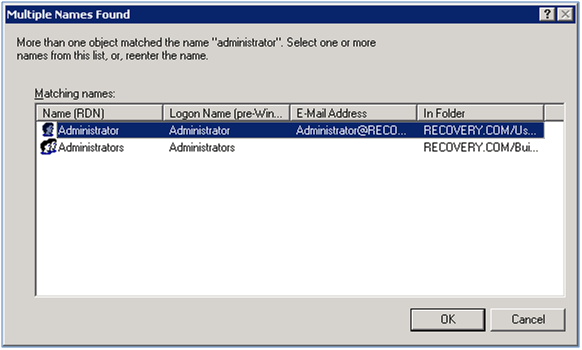
- Select the object name as Administrator as shown in the following screen and then click on OK button.
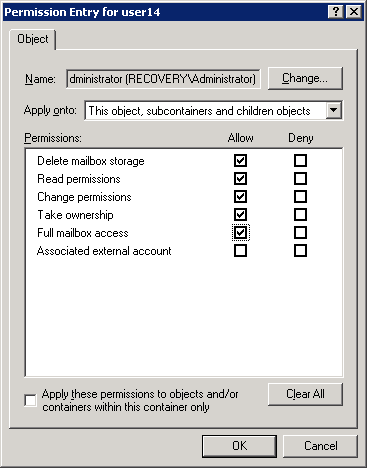
- Click all checkboxes in Allow column as shown in the following screen and then click OK button.
STEP 7
- After doing above steps then click Apply and OK button for the screen shown in Step 4.
STEP 8
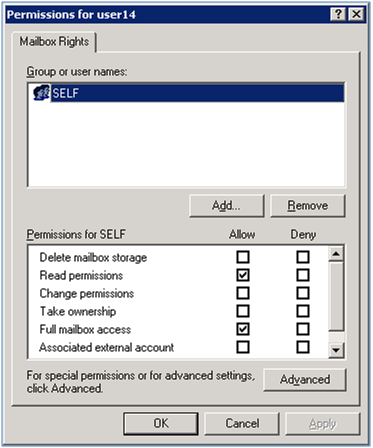
- After doing above steps then click Apply and OK button for the screen shown in Step 3.
STEP 9
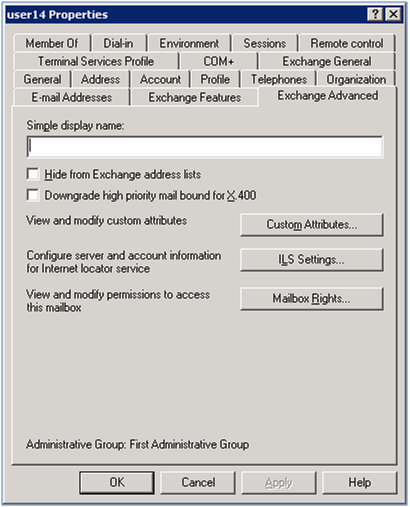
- After doing above steps then click Apply and OK button for the screen shown in Step 2.
Most Frequently Asked
Related Solutions